
Many organizations have not yet adopted 360 feedback software. Feedback is often collected in a way that lacks structure, for example through informal conversations or separate emails. In some cases, it is only gathered shortly before a review. This means feedback is not always captured consistently across the organization. Simply stated, the concept of 360 feedback is widely known, but it is not always supported by the right software.
1. What is 360 feedback software?
To address this, it is important to first look at software that enables 360 feedback. Software with 360 feedback supports organizations in collecting structured feedback from multiple perspectives around an employee. Instead of relying only on input from a manager, feedback is gathered from colleagues and others they work closely with. This creates a more complete and balanced view of performance. Feedback is captured through structured questions and competency-based evaluations, which makes it consistent and easier to interpret.
2. Why is 360 feedback essential for performance management?
For performance management to be effective, organizations need a reliable software which supports the way to understand how employees contribute and develop over time. 360 feedback supports this by creating a stable foundation for evaluating performance and guiding development. It helps HR work with more consistent and transparent information, while managers gain clearer context when supporting employees. This makes it easier to apply performance management in a structured way. In addition, it helps align individual development with organizational goals, enabling more informed decisions across the organization.
3. How Thalently, our software, strengthens the 360 feedback process
The question then becomes: Which software helps achieve this? Thalently provides a structured 360 feedback approach by allowing employees to easily collect feedback from peers and stakeholders. Feedback is organized in one place and remains accessible over time, making it directly usable in appraisals and performance reviews.
4. How does 360 feedback work in Thalently
Within Thalently, 360 feedback is set up as a clear, step-by-step process. Each stage guides employees and managers through collecting and using feedback.
Step 1: Starting the feedback process
The process starts automatically. When it is time to collect feedback, employees receive a notification by email. This moment is determined by the organization.
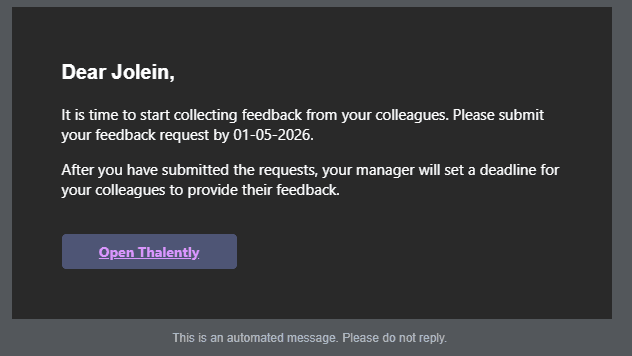
From there, the employee can open Thalently and access the assignment to start the process. This ensures that feedback is collected consistently rather than on an ad hoc basis.
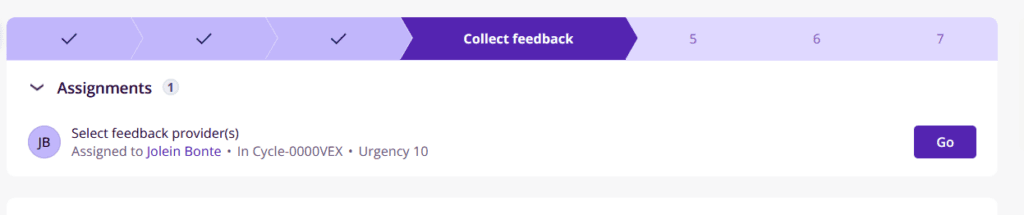
Step 2: Selecting the right people
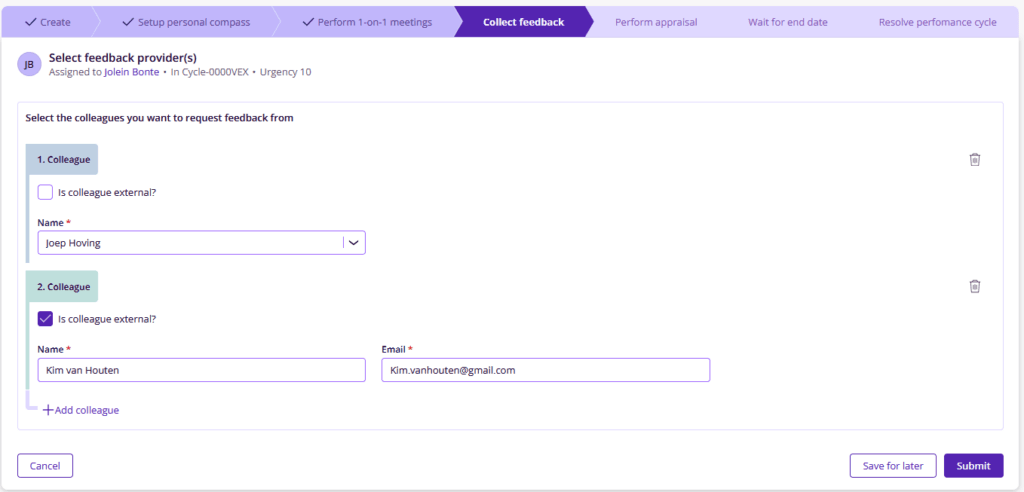
Next, the employee selects who should provide feedback. There is no fixed limit and for each person it is possible to choose between internal and external contributors. Internal users, so colleagues within the company, can be selected from a list within Thalently, while external contributors are added by entering their name and email address. After the selection is made, the manager reviews the list. At this stage, the manager can still adjust the selected people and set a deadline and reminder for the feedback request. This ensures that the process remains controlled and clearly defined.
Step 3: Sending the feedback request
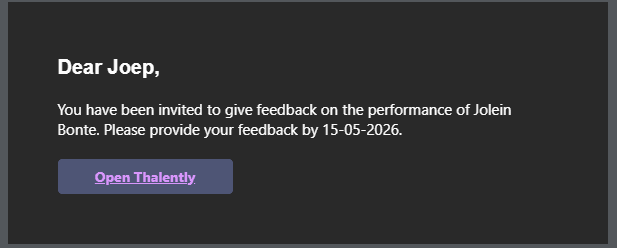
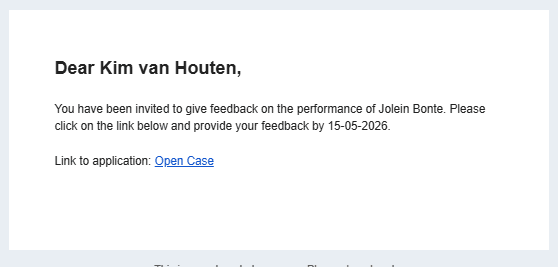
Once the manager confirms the selection, the requests are sent automatically. Each selected person receives a structured email invitation with clear instructions and a deadline. Internal users can open the request directly in Thalently, while external contributors receive a similar request with a direct link to provide feedback.
Step 4: Providing feedback
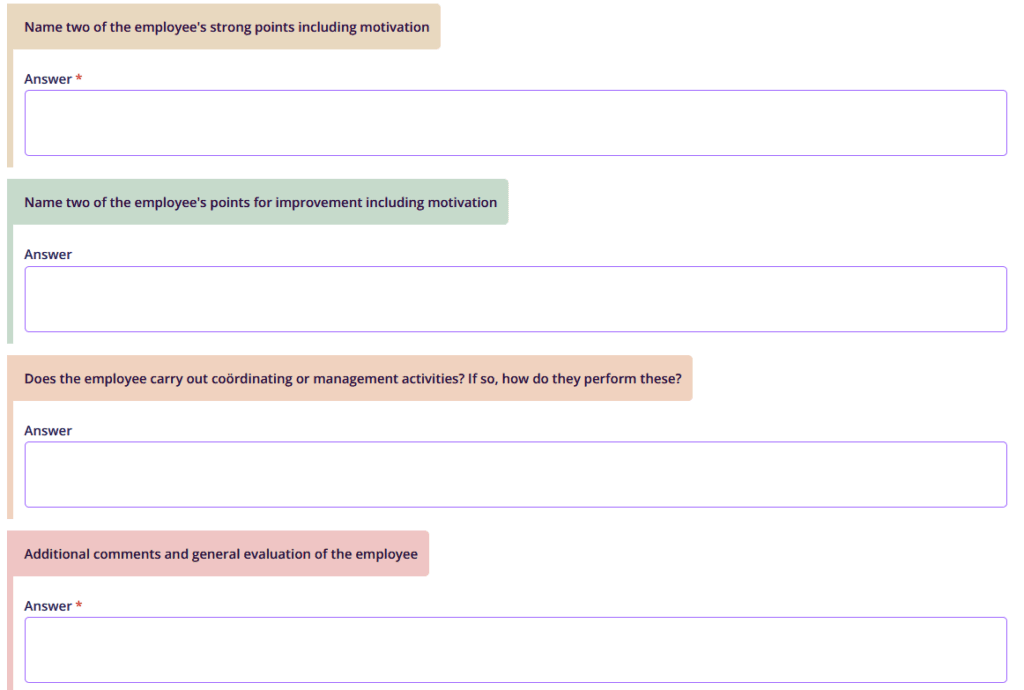
Feedback is collected through a structured form in Thalently, which is divided into two tabs: General feedback and feedback on competences. In the ‘General feedback’ tab, respondents answer questions defined by the organization. These questions can vary in format, such as open questions, multiple-choice options, true-or-false statements, or scaled questions where a score is given. This allows organizations to tailor feedback to their specific needs.
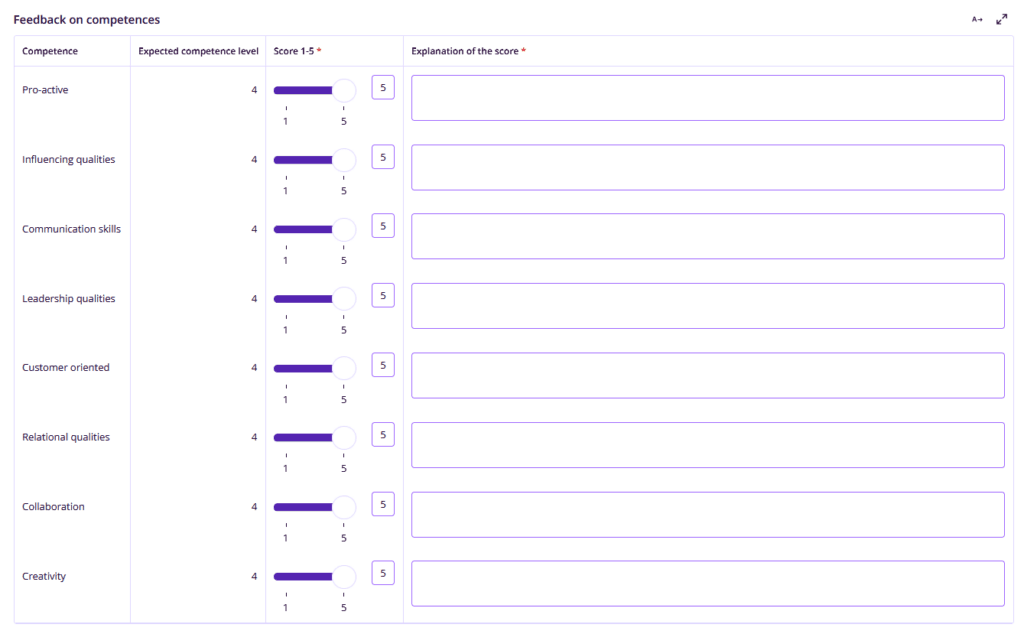
The ‘Feedback on competences’ tab focuses on competences that are relevant to the employee’s role. For each competency, the expected level is clearly shown. Respondents provide a score and add a short explanation to support their evaluation. Additional context about the competency levels is available within the form, helping ensure that feedback is comparable across respondents.
Step 5: Reviewing and using the feedback
Once feedback is submitted, the employee receives a notification by email that new feedback is available. From there, the feedback can be accessed directly through the link in the email or via the performance cycle overview in Thalently. At the same time, managers of the employee can also view the feedback within the employee’s dashboard. This gives them direct insight into the input provided.

360 feedback delivers value when feedback is structured, not just collected
In conclusion, 360 feedback only becomes valuable when it is consistently captured and easy to use with the right choice of software. By structuring feedback within one process, Thalently helps organizations build a complete and reliable view of performance over time, making feedback directly usable for both evaluation and development.
Want to see how this works in your organization? Request a demo and explore how Thalently supports 360 feedback from start to finish.